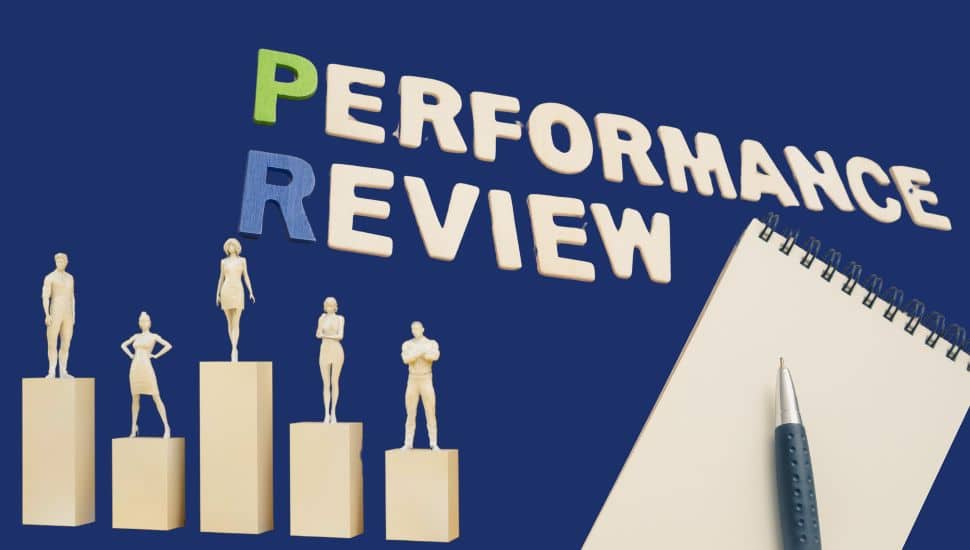
Performance reviews can feel daunting, but with the right preparation, they can be a powerful opportunity to advocate for your accomplishments, set future goals, and position yourself for career growth.
Whether you aim for a raise, a promotion, or want to showcase your value, preparation is key.
Why Preparation Matters
Performance reviews aren’t just about what your manager thinks—it’s your opportunity to demonstrate how you’ve contributed to the company’s success. Voilà! – this is your moment to show the measurable impact you’ve made.
Step-by-Step Guide to Prepare for Your Performance Review
Step 1: Track Accomplishments All Year
Don’t wait until review season to reflect on your work. Create a system to capture wins regularly:
- Use a spreadsheet or app to document and log achievements. You will find a lot of productivity, goal-setting, and project management tools in this article, and you can also Google for any new technologies that have just been released.
- Include dates, project names, and collaborators.
- Note challenges overcome and innovative solutions.
Pro Tip: Keep a digital “brag book” in Google Drive, Notion, Trello, or OneNote. Update it weekly or monthly with how you helped a company make or save money or time.
Step 2: Quantify Your Results
Metrics matter. Use numbers to tell the story of your success. Hiring managers, leadership, and even LinkedIn algorithms love data!
Track how you:
- Made Money: Increased revenue, closed deals, or brought in new business.
- Saved Money: Reduced costs, renegotiated contracts, streamlined processes.
- Saved Time: Automated tasks, reduced errors, improved efficiency.
Examples of Impact Metrics:
You can add how you achieved the metric by adding more context. Note that each bullet starts with a verb, and here is a list of over 300 powerful action verbs.
- Increased customer retention by 25%
- Reduced onboarding time by 10 hours per hire
- Saved $50,000 annually by renegotiating vendor contracts
Step 3: Align Your Work With Business Goals
Review your job description, department KPIs, or OKRs. Link your accomplishments to company priorities such as:
- Revenue growth
- Customer satisfaction
- Compliance or risk reduction
- Productivity gains
Step 4: Collect Feedback
Gather input from peers, clients, or cross-functional partners. There are a few ways to do this:
- Save emails or messages with praise
- Request short testimonials
- Keep a “kudos” folder in your inbox
- Conduct 360-degree feedback with many tools you can source from Google
Step 5: Prepare Talking Points
Treat your performance review like a presentation or interview. Prepare to speak confidently about:
- Key wins and metrics
- Challenges and how you overcame them
- Professional development and online learning to upskill or reskill, and you can access over 100 sources in this article
- Goals for the next review cycle
Step 6: Practice Self-Advocacy
You are your best advocate. Don’t assume your manager remembers everything you did.
Use a clear structure like: “One of my key accomplishments this year was ___, which led to ___, saving the company ___% or ___ dollars/hours.”
Don’t Forget to Update Your Resume and LinkedIn
Once your review is done and you have your metrics:
- Update your resume to reflect recent accomplishments. Use results-driven bullet points with numbers.
- Update your LinkedIn profile to showcase achievements, and new skills and refresh your profile monthly.
- Think ahead: These updates prepare you for internal opportunities, promotions, or job changes—planned or unexpected.
Final Thoughts
Performance reviews are more than a formality—they’re an opportunity to showcase your value and grow professionally. You take control of your career narrative by tracking accomplishments, using metrics, and advocating for your contributions.
And remember: “What gets measured, gets managed” (Peter Drucker). Keep a record, update often, and let your impact speak for itself.
Did you read the article from last week? What is Portfolio Career and How Do You Present It on LinkedIn?
NEXT STEPS
- Subscribe to my newsletter on LinkedIn™ for bright ideas on how to manage your career.
- If you need a resume or LinkedIn™ profile to get you to your next step, book a call to chat! Can’t beat a free discovery call!
- Join as a member at https://greatcareers.org/membership of the #1 business networking association on the Philadelphia Business Journal’s Book of Lists five years in a row!
- To support our charity at KeepOnSharing.com and use the referral code Career
- Follow #GreatCareersPHL
UPCOMING EVENTS
Join us at our Nonprofit Events Quick List Page
- Mon Apr 28 – Immigrant Professionals Career Support: Get Ready for Your Interview
- Thu May 1 – Noon deadline to register for Job Start Your Job Search
- Sat May 3 – Jump Start Your Job Search
- Mon May 5 – Employee to Entrepreneur
- Tue May 6 – Uncover the Hidden Job Market
- Tue May 6 – LinkedIn for Nonprofits at SCORE Los Angeles
- Tues May 6 – Harnessing AI for Smarter Job Searches
- Thu May 8 – Resume First; LinkedIn Next: The Smart Strategy for Job Seekers
- Thu May 8 – What’s Your Shtick? Personal Branding On & Off LinkedIn at SCORE Las Vegas
- Thu May 8 – Virtual Job Seeker Support Group
- Thu May 8 – Women’s Semi-Annual Author Panel at Meet the Author Pyramid Club
- Mon May 12 – Career Success Group Job Seeker Accountability & Networking
- Thu May 15 – Leadership Lunch Table 4-Part Series
- Fri May 16 – Recruiter on Call with Jobs
- Fri May 16 – How to Gain Customers with a LinkedIn Company Page at SCORE Silicon Valley
- Sat May 17 – LinkedIn Profile Reviews
- Sat May 17 – LinkedIn Profile Reviews
- Mon May 19 – LinkedIn Local NYC
- Mon May 19 – Immigrant Professionals Career Support: Unlock Your Job Search: Free Tools & Smart AI Tactics for Career Success
- Tues May 20 – Interviewing with Strengths
- Tues May 20 – Lehigh Valley Business Executives Networking Group & ChemPharma
- Wed May 21 – Using AI for Your Job Search
- Wed May 21 – 7 Ways to Improve Your Resume
- Wed May 21 – Networking with Purpose
- Thu May 22 – Career Success Group Job Seeker Accountability & Networking
- Thu May 15 – Leadership Lunch Table 4-Part Series
- Thu May 22 – Harnessing AI for Smarter Job Searches
- Tue May 27 – Business Executives Networking Group & ChemPharma
- Wed May 28 – The Crisis No One Talks About Until It’s Too Late
- Thu May 29 – Leadership Lunch Table 4-Part Series
- Thu May 29 – Neuro-Spicy Success – Systems that support your professional resilience
- Fri May 30 – Careerland Q&A for the Game of Life
- Sat May 31 – Tackling the Fear of Visibility to Achieve Career Success
- Sat May 31 – How to Create Snazzy Graphics Step-by-Step-Demos at SCORE Jacksonville